Paper trading, also known as simulated trading, is a tool that lets you practice buying and selling stocks with “paper” money. It’s a good idea to first practice trading with “paper” money before playing with your hard-earned money.
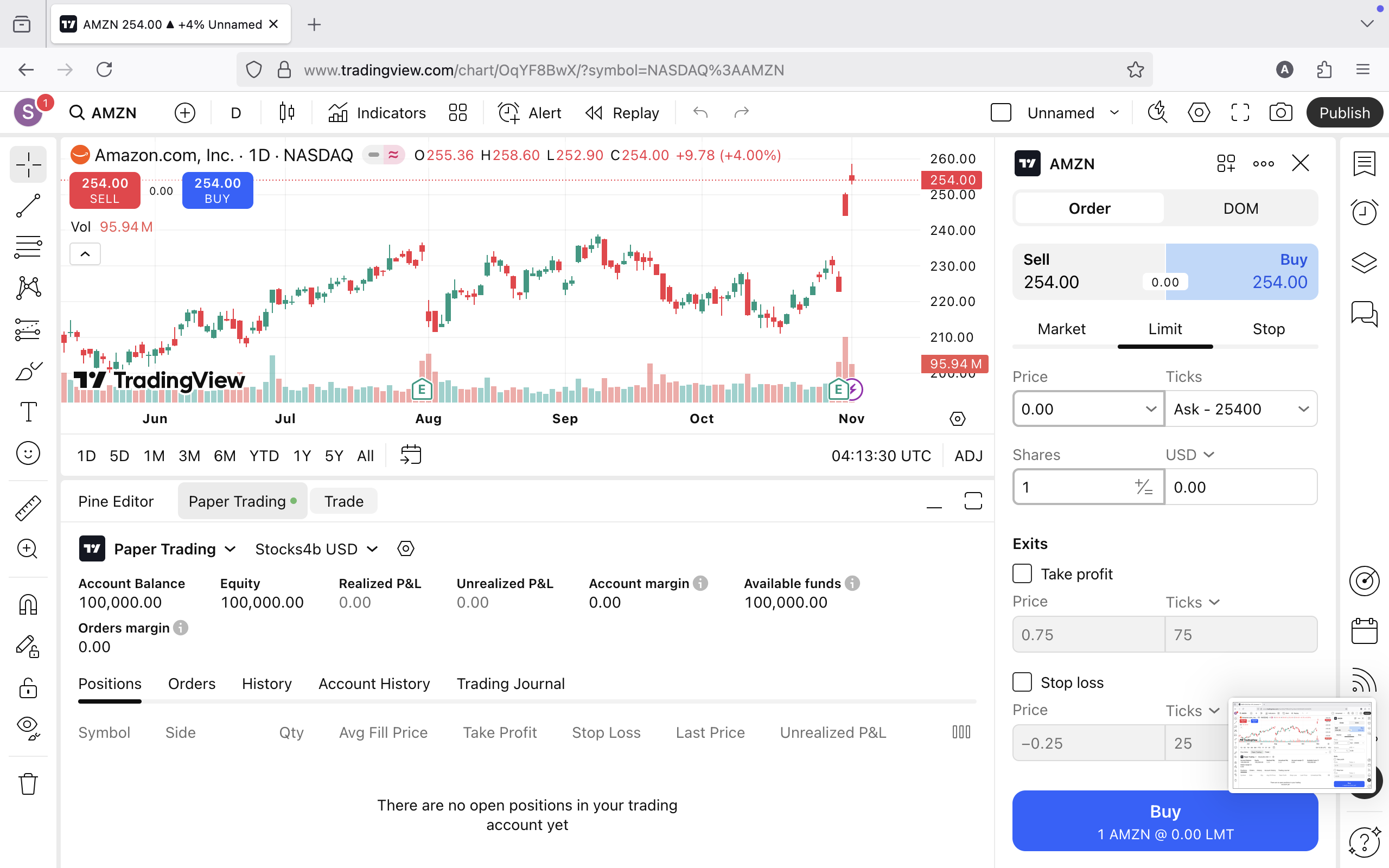
Here are the steps to open a paper trading account with the TradingView platform.
- Go to: https://tradingview.com
- Click Get started at the top right corner.
- Click Sign up where it says $0 forever.
- Choose a sign up method from the options presented here on the Sign up page.
- If you choose the Email option, an email will be sent to your inbox for to confirm your email address. Follow the instructions in the email to activate your account and login to TradingView.
Now that you’ve logged in successfully, follow these next steps to get to the Paper Trading Panel.
- On the navigation menu, place your mouse over the word Markets, then over Stocks, and click Overview.
- From the Overview page, click on any stock symbol on the page. This will take you to that stock’s landing page.
- Next click either on Full chart or See on Supercharts, both on the right of the screen. Clicking on See on Supercharts will open a new browser tab.
- Now on the full chart page, click on Trading Panel at the bottom of the screen, to open the Trading Panel.
- Next click on Paper Trading Brokerage simulator by TradingView and click Connect in the popup window. At this point you should see your Paper Trading account with $100,000.00 of “paper” money to practice trading with.
Here’s the shortcut to go directly to the Trading Panel: https://www.tradingview.com/chart/?trade-now
TradingView is also available for desktop and mobile devices: